


Jira Cloud app · Sprint health
Jira Sprint Health Alerts: catch scope creep and missing estimates before the sprint fails
Most sprints don’t fail on the last day. They fail quietly on day three, when unestimated work slips in and scope grows. PM Overview flags it while you can still act.
- ★ 5.0 on the Atlassian Marketplace (17 reviews)
- Free for teams up to 10 users
- 30-day free trial for any team size
- Scrum and Kanban boards
- Opens inside Jira Cloud, no setup
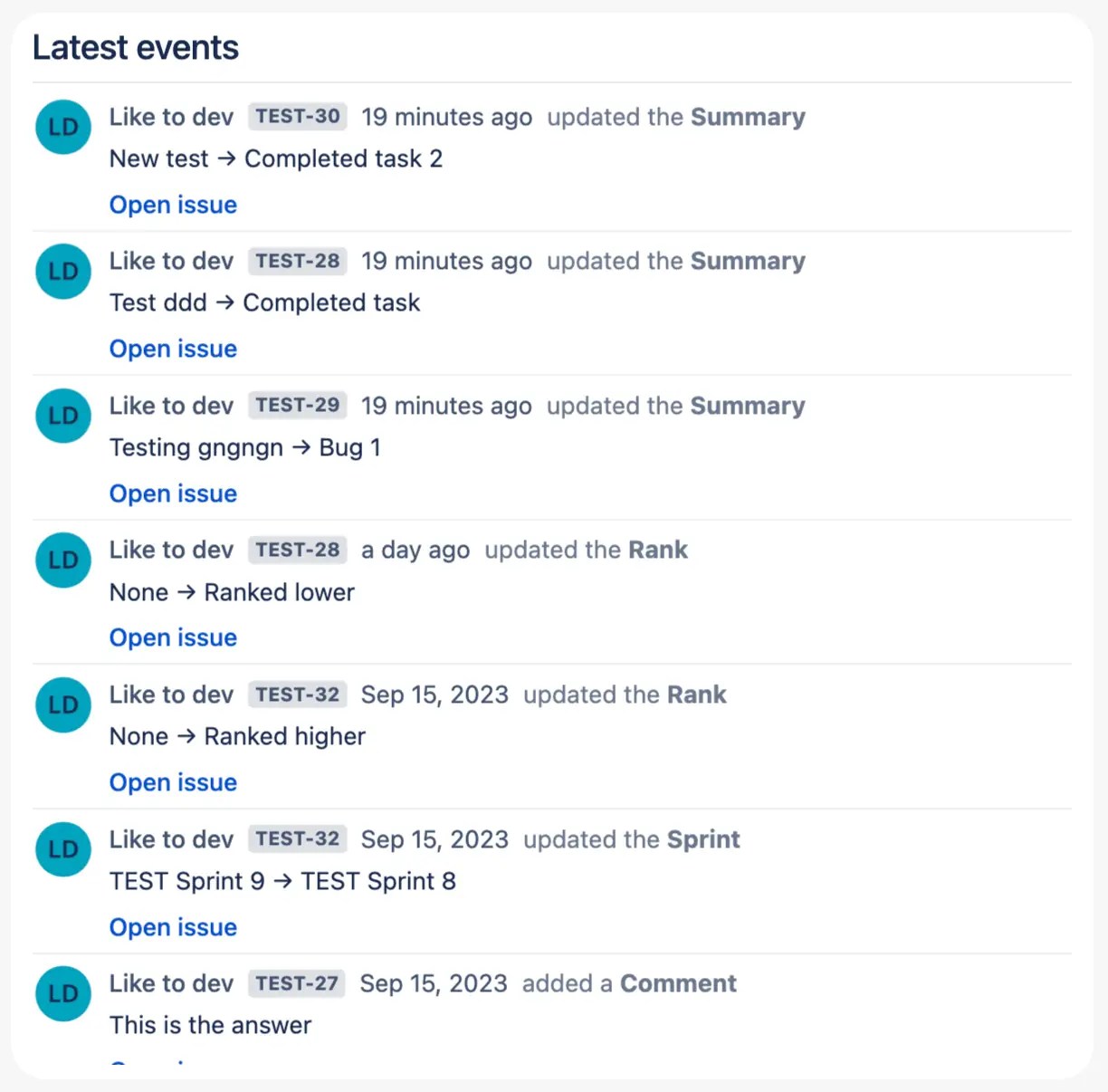
In short: PM Overview’s Notifications panel checks your active Jira sprint and flags early warning signs: issues without story point estimates, % of issues completed, issues and story points added during the sprint, and velocity below your average. Next to it, a Latest Events feed shows who changed, commented on or moved which ticket.

The five early warning signs PM Overview tracks
| Alert | Why it matters | What to do |
|---|---|---|
| Issues in sprint without estimation | Unestimated work makes your commitment and velocity meaningless. | Estimate it at the next stand-up or move it out of the sprint. |
| % of issues completed | Shows real progress against the sprint’s timeline, not just the board. | If it’s behind mid-sprint, re-scope with the product owner now. |
| Issues added during the sprint | Unplanned work is the most common reason sprints miss their goal. | Check who is adding work, and whether it can wait for next sprint. |
| Story points added during the sprint | Shows the size of the scope creep, not just the count. | Trade it out: if something comes in, something of equal size goes out. |
| Velocity lower than the average | Early signal that the sprint goal is at risk. | Look for blockers, absences or unplanned work, and tell stakeholders early. |
See what changed since yesterday
The Latest Events feed lists real-time activity on your tickets: status changes, comments, summary edits and new issues, with who did it and when. Open it in the daily stand-up and skip the “what did you do yesterday” round.
Act without leaving the dashboard
Open, move or update a ticket directly from PM Overview. Fix a missing estimate or move a blocker the moment you spot it.

Why native Jira misses these signals
- The Sprint Report shows scope changes only after the sprint ends.
- The burndown shows that you’re behind, but not why.
- Finding unestimated issues needs a custom JQL filter on every board.
- Jira has no built-in “velocity below average” warning.
Up and running in 2 minutes
- Install PM Overview from the Atlassian Marketplace. It is free for up to 10 users, and every team size gets a 30-day trial.
- Open your Jira project and click PM Overview in the project navigation (or under More).
- Pick a board and sprint. The dashboard fills itself from your existing Jira data. No gadgets, JQL or spreadsheets to set up.
What teams say on the Atlassian Marketplace
Great to use so far. I was looking for a time tracking and resource allocation dashboard.
Charles Smith, Marketplace review, Sep 2025
We were looking for this kind of plugin, one view to manage our project. Also helps with reporting and retrospectives.
Marketplace review, Aug 2024
This dashboard is exactly what we were looking for!
Sarah, Marketplace review, Jul 2024
Frequently asked questions
How do I find Jira issues without story points in a sprint?
In native Jira you need a JQL filter such as sprint in openSprints() AND "Story Points" is EMPTY (the field name varies per site). PM Overview counts unestimated issues in the current sprint automatically and shows them in the Notifications panel.
How can I track scope creep in a Jira sprint?
PM Overview reports how many issues and how many story points were added after the sprint started. Native Jira shows scope changes only in the Sprint Report, after the fact.
What alerts does PM Overview show?
Issues in the sprint without estimation, the percentage of issues completed, issues added during the sprint, story points added during the sprint, and whether this sprint’s velocity is lower than your average. On Scrum boards the current sprint dates appear in the panel title.
Can I choose which alerts are shown?
Customising which alerts to show or hide is on the PM Overview roadmap.
Does it work on Kanban boards?
PM Overview runs on both Scrum and Kanban boards. Sprint-specific alerts are most useful on Scrum boards.
Is PM Overview free?
PM Overview is free for Jira Cloud sites with up to 10 users. Larger teams get a 30-day free trial and then pay per user through Atlassian.
Know your sprint is at risk on day three, not day ten
Install PM Overview and see unestimated work, scope creep and velocity warnings for your current sprint. Free for up to 10 users.


