


Jira Cloud app · All features
Everything a product team needs from Jira, in one dashboard
PM Overview brings sprint progress, velocity, KPIs, allocation reporting, alerts and team activity onto one screen inside Jira. No gadgets to configure, no JQL, no spreadsheets.
- ★ 5.0 on the Atlassian Marketplace (17 reviews)
- Free for teams up to 10 users
- 30-day free trial for any team size
- Scrum and Kanban boards
- Opens inside Jira Cloud, no setup
In short: PM Overview is a Jira Cloud dashboard app with 10 built-in sections: task breakdown, notifications and alerts, latest events, story point completion, velocity, allocation breakdown, task completion time, planning and completed tasks, product goals and initiatives, and board customisation. It fills itself from the board you select and is free for up to 10 users.

Who it’s for
Product managers & owners
Progress, allocation and goals in one view for roadmap and stakeholder conversations. See how.
Scrum masters
Sprint health, velocity and blockers for stand-ups, planning and retros. See how.
Engineering leads
Completion time, workload and unplanned work, without building reports. See how.
The 10 sections of PM Overview
1. Task Breakdown chart
A live view of how tasks are spread across your Kanban or sprint board columns (To Do, In Progress, Code Review, Testing, Done and so on), filled in automatically from your board. Click a category to hide it and focus on what matters.
2. Notifications & alerts
Early warning signs for the current sprint: issues without estimation, % of issues completed, issues and story points added during the sprint, and velocity below your average.

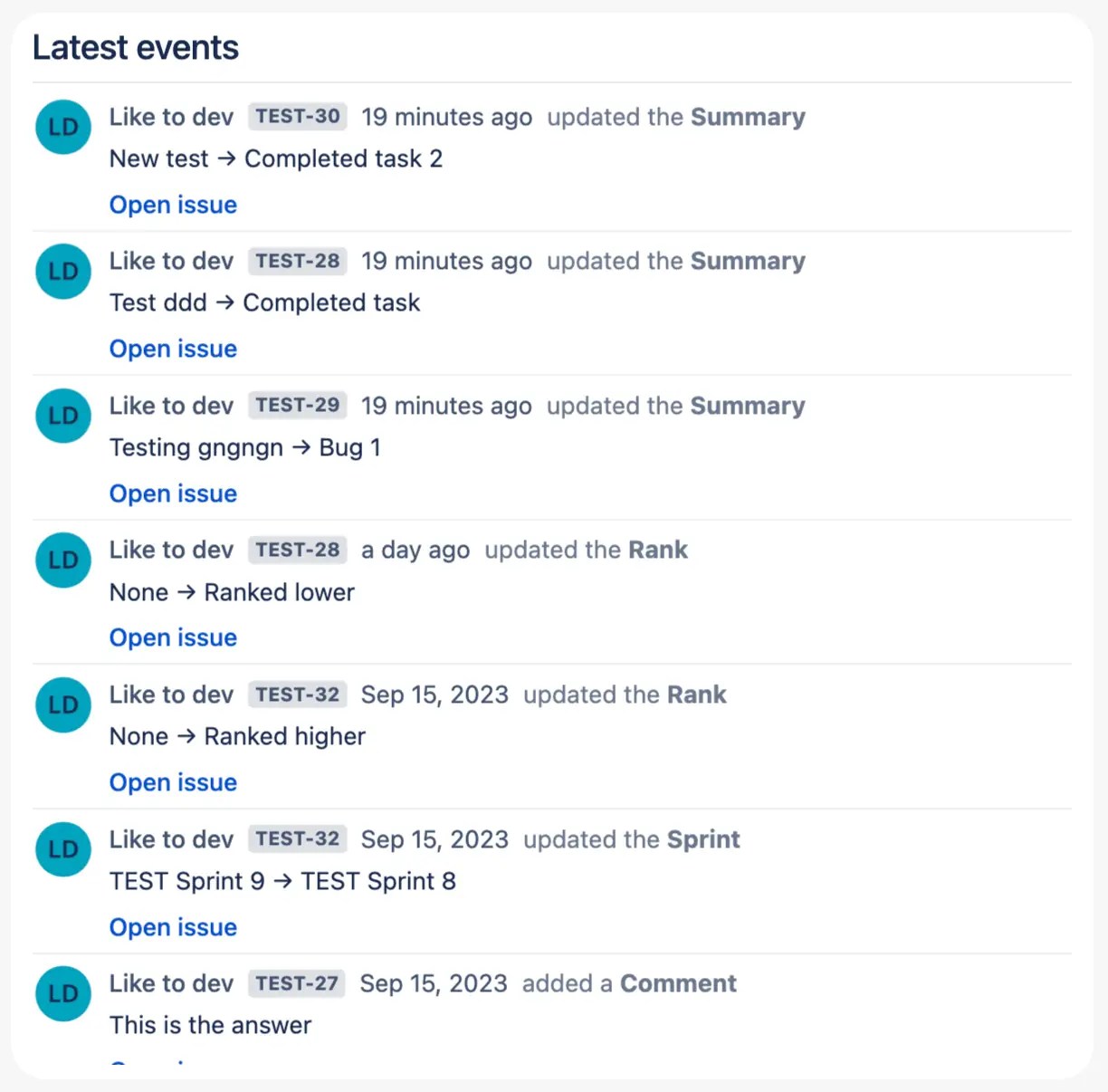
3. Latest events
Real-time activity on your tickets: who commented, changed a status or priority, or created an issue. Ideal for a faster stand-up.
4. Story point completion
The split of story points between To Do, In Progress and Done, so you can see at a glance whether the team will meet its commitment.

5. Velocity chart
Average velocity, total commitment and completed story points per sprint or timeframe, with full sprint history. Exclude outlier sprints for cleaner forecasts.

6. Allocation breakdown
How effort is split across labels or epics (bugs, new features, tech debt, milestones), calculated from story points. View it weekly, monthly or yearly for stakeholder reporting.

→ Jira resource allocation report
7. Average task completion time
How long issues take between two board columns you choose, per issue type (story, task, bug) and per label or epic, in hours or days.

→ Average task completion time in Jira
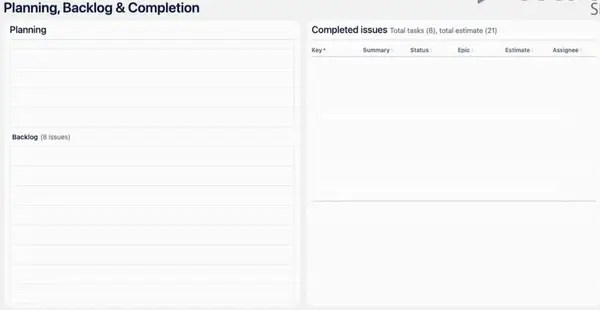
8. Planning & completed tasks
All tickets organised by sprint or custom timeframe. Drag and drop to prioritise, click a ticket ID to open it, and review everything completed this sprint or last.
9. Product goals & initiatives
A flexible workspace for goals and items that aren’t Jira tickets yet. Collect stakeholder feedback before it becomes a ticket, or use it as a personal to-do list. Rename sections to match your objectives.
10. Board customisation & view settings
Switch boards and sprints from the top-right menu. In View settings choose the data source (sprint, backlog or both), the start and end columns for completion time, hours or days, and which charts to show.

PM Overview vs building it yourself
| You need… | With native Jira | With PM Overview |
|---|---|---|
| Velocity next to sprint progress | Velocity Report on a separate Reports screen | Same dashboard |
| Allocation by effort | Pie Chart gadget (counts issues) | Story-point weighted, by label or epic |
| Scope-creep and estimate alerts | Custom JQL per board | Built in |
| Cycle time by issue type | Control Chart + manual filters | Built in, per sprint |
| Setup time | Hours of gadget and JQL work | About 2 minutes |
Full comparison: PM Overview vs native Jira dashboards and reports.
Up and running in 2 minutes
- Install PM Overview from the Atlassian Marketplace. It is free for up to 10 users, and every team size gets a 30-day trial.
- Open your Jira project and click PM Overview in the project navigation (or under More).
- Pick a board and sprint. The dashboard fills itself from your existing Jira data. No gadgets, JQL or spreadsheets to set up.

What teams say on the Atlassian Marketplace
Great to use so far. I was looking for a time tracking and resource allocation dashboard.
Charles Smith, Marketplace review, Sep 2025
We were looking for this kind of plugin, one view to manage our project. Also helps with reporting and retrospectives.
Marketplace review, Aug 2024
This dashboard is exactly what we were looking for!
Sarah, Marketplace review, Jul 2024
Frequently asked questions
What is PM Overview?
PM Overview is a Jira Cloud app that combines sprint progress, velocity, KPIs, allocation reporting, notifications and team activity in one dashboard inside Jira. It is built for product managers, product owners, scrum masters and engineering leads.
Which Jira boards does PM Overview support?
Scrum and Kanban boards in Jira Cloud. All features work best on Scrum boards; on Kanban, data defaults to the backlog and you can use custom timeframes.
Do I need to configure gadgets or JQL?
No. PM Overview fills itself from the board and sprint you select. You can fine-tune data sources, timeframes and units in the View settings panel.
How much does PM Overview cost?
Free for Jira Cloud sites with up to 10 users. Larger teams get a 30-day free trial and then pay per user through Atlassian.
See your whole project on one screen
Install PM Overview from the Atlassian Marketplace. It’s free for up to 10 users, with a 30-day trial for bigger teams.


